After installing Docker Engine, every docker call needs sudo unless your user can open the Docker socket. The usual fix on Ubuntu is membership in the docker group.
Why sudo is required by default
The Docker daemon listens on a Unix socket owned by root:docker. Unprivileged users cannot connect, which is intentional: anyone who can talk to that socket can mount host paths and effectively become root.
Add your user to the docker group
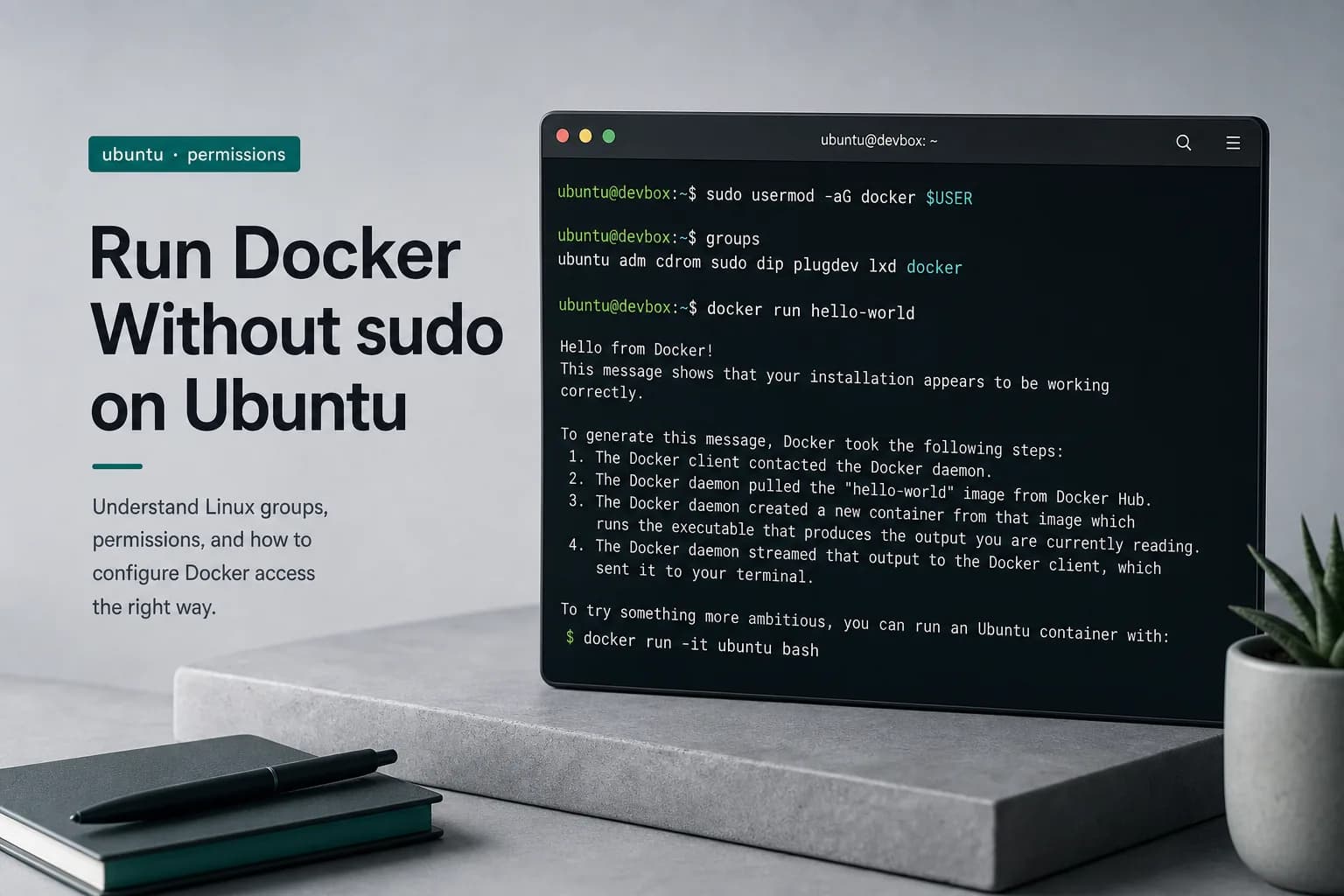
sudo usermod -aG docker "$USER"
To add a different account:
sudo usermod -aG docker otherusername
Group changes apply on the next login session. Either:
- Log out of SSH / the desktop and log back in, or
- Start a new login shell:
su - "$USER", or
- Refresh groups in the current shell:
newgrp docker
Confirm:
groups
docker run --rm hello-world
Security note
Treat the docker group like sudo. On shared or production hosts, prefer rootless Docker, dedicated CI agents, or tightly scoped SSH users instead of broad group membership.
Troubleshooting
| Symptom | Likely fix |
|---|
permission denied while trying to connect to the Docker daemon socket | Group not applied — re-login or newgrp docker |
| Daemon not running | sudo systemctl start docker |
| Works with sudo only | id / groups still missing docker |
Once the group is active, drop sudo from day-to-day docker and docker compose commands on that machine.